What onSuccess and onFailure send back, for each mode and payment method.
The widget reports the outcome of a payment through two events on the <leapa-customer> element: onSuccess and onFailure. This page documents when each one fires and what event.detail holds. For the attributes that produce these payments, read Widget attributes.
The widget already shows the payer a banner for both outcomes, in place of the form:
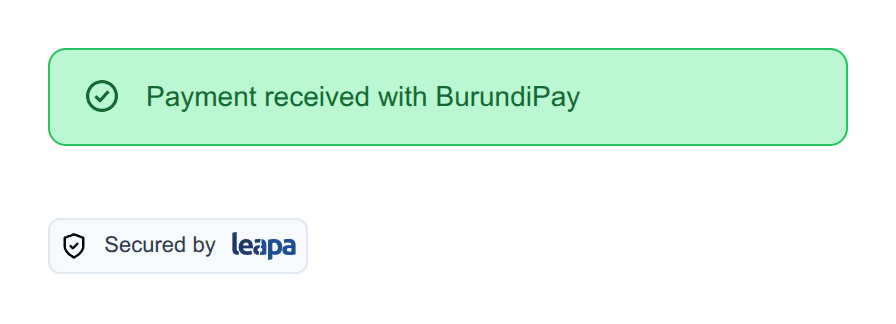
So do not render the outcome yourself. Listen to these events for the work only your site can do: saving a customer ID, marking an order paid, or moving the payer to the next screen.
Both events bubble and cross the widget’s shadow boundary, so you can listen on the element itself or on any ancestor:
<script>
  const widget = document.getElementById("leapa");

  widget.addEventListener("onSuccess", (event) => {
    console.log(event.detail);
  });

  widget.addEventListener("onFailure", (event) => {
    console.error(event.detail);
  });
</script>
Both are CustomEvent objects, so the payload is always on event.detail. Attach the listener after the element exists in the page. Running your snippet before the widget script finishes loading is fine, because the events fire much later, when the payer submits.
When you place more than one widget on a page, give each a different id and attach a listener to each.
onSuccess fires once per payment. BurundiPay’s two rails both watch the same invoice, so the widget silences every announcement after the first. A payment you record is a payment that happened once.
The shape of event.detail depends on the mode and on which method the payer used:
| Payment | event.detail |
|---|---|
Card, add mode | { customer, source } |
Card, charge mode | { customer, charge } |
Card, invoice mode | { customer, charge } |
| BurundiPay QR code | { amount, currency, charge_id, invoice_id, qr_reference } |
| BurundiPay phone request | { amount, currency, invoice_id, uetr } |
Card and BurundiPay return different shapes. In invoice mode the payer picks the method, so branch on what arrived rather than assuming one shape:
<script>
  widget.addEventListener("onSuccess", (event) => {
    const detail = event.detail;

    if (detail.charge) {
      recordCardPayment(detail.charge.id);
    } else {
      recordInvoicePayment(detail.invoice_id);
    }
  });
</script>
add mode returns the customer the widget created or found, plus the card it saved. Both match the objects the API returns from POST /customers:
{
  "object": "Customer",
  "id": "616820c258284cbbb87abe6fd9b9bd5a",
  "email": "bernice@example.com",
  "first_name": "Bernice",
  "last_name": "Lierne",
  "birth_date": "1990-04-12",
  "merchant_id": "99035d7b1bc644bbac854d72dc1ff73f",
  "address": { "object": "Address", "city": "Bujumbura" },
  "status": "active",
  "is_live": false
}
Store customer.id. You need it to charge the same payer later, either through the API or by passing it back to the widget as customer-id.
The source object describes the saved card:
{
  "object": "account",
  "id": "2c72e224e39144598d7e8293dc7c09a1",
  "customer_id": "616820c258284cbbb87abe6fd9b9bd5a",
  "brand": "visa",
  "last_four": "1111",
  "exp_month": "03",
  "exp_year": "2028",
  "card_holder_name": "Bernice Lierne",
  "currency": "USD",
  "is_default": true,
  "status": "created"
}
Leapa never returns the full card number. last_four and brand are what you show the payer when they pick a saved card later.
Card payments in charge and invoice modes return a charge. The charge has the ID you reconcile against, the amount that moved, and the status:
{
  "id": "f3d1a2b45c6748e9a0b1c2d3e4f56789",
  "amount": 5000,
  "currency": "BIF",
  "status": "succeeded",
  "description": "Order 1234567890123",
  "failure_code": null,
  "failure_message": null,
  "source": { "brand": "visa", "last_four": "1111" }
}
In charge mode onSuccess fires only when status is succeeded, so you do not have to check it again. Watch the amount unit for USD: you write amount="25" on the element, the widget sends 2500 to the API, and the charge comes back in that same minor unit. BIF and XAF have no minor unit, so they pass through unchanged.
BurundiPay settles an invoice rather than creating a customer, so its payload names the invoice and the reference for the rail that settled it. qr_reference identifies the QR code the payer scanned. uetr is the unique end-to-end transaction reference for a phone request, which is what your bank reconciliation matches on.
Neither payload includes a customer, because BurundiPay never asks for one.
onFailure fires when the payment did not go through. Most failures include a code and a message:
{
  "code": "E9125",
  "message": "Payment declined by the issuer"
}
BurundiPay uses the same shape, with qr_generate_failed and rtp_request_failed as the codes for a rail that could not start.
One case sends nothing. When the bank declines a card outright, meaning the charge came back with a failure_code, the event fires with event.detail set to undefined. The reason still reaches the payer through the widget’s red banner; it does not reach your listener. Write the handler so it survives an empty payload:
<script>
  widget.addEventListener("onFailure", (event) => {
    const code = event.detail?.code ?? "declined";

    checkoutButton.disabled = false;
    analytics.track("payment_failed", { code });
  });
</script>
Do not build the payer’s error message from event.detail. The widget already shows them an accurate one, translated into the language you set with lang. Use the event to re-enable your own UI, log the attempt, or offer another payment method.
A decline is a failure, not a success
A card the bank turns down fires onFailure, never onSuccess. A listener
that reads event.detail.charge.failure_code on success will therefore
never see a decline, and every payment it records will look like it worked.
These are the decline reasons Leapa passes on from the card networks. The widget shows the payer a plain-language version. The codes are here so you can recognise them in your Leapa dashboard and in API responses:
| Failure code | Failure message |
|---|---|
INVALID_ACCOUNT | Decline - Invalid account number |
PROCESSOR_DECLINED | Decline - General decline of the card. No other information provided by issuing bank. |
INSUFFICIENT_FUND | Decline - Insufficient funds in the account. |
UNAUTHORIZED_CARD | Decline - Inactive card or card not authorized for card-not-present transactions. |
INVALID_CVN | Decline - Invalid Card Verification Number (CVN). |
CONSUMER_AUTHENTICATION_FAILED | Encountered a Payer Authentication problem. Payer could not be authenticated. |
This listener records the payment on your own server and then sends the payer to a thank-you page:
<script>
  const widget = document.getElementById("leapa");

  widget.addEventListener("onSuccess", async (event) => {
    const { customer, charge } = event.detail;

    await fetch("/api/orders/1234567890123/paid", {
      method: "POST",
      headers: { "Content-Type": "application/json" },
      body: JSON.stringify({
        customerId: customer.id,
        chargeId: charge.id,
      }),
    });

    window.location.href = "/thank-you";
  });
</script>
Confirm the payment on your own server
Send the charge ID to your server and check it against Leapa there before you release goods. A listener in the browser can be tampered with; your server calling Leapa cannot.